
Agentic Sales Email Channel
Closed Loop
End-to-end walkthrough of how an AI Artist on Barron Walker turns a WooCommerce product into a personalized sales email — fully automated, from product selection to inbox delivery.
01
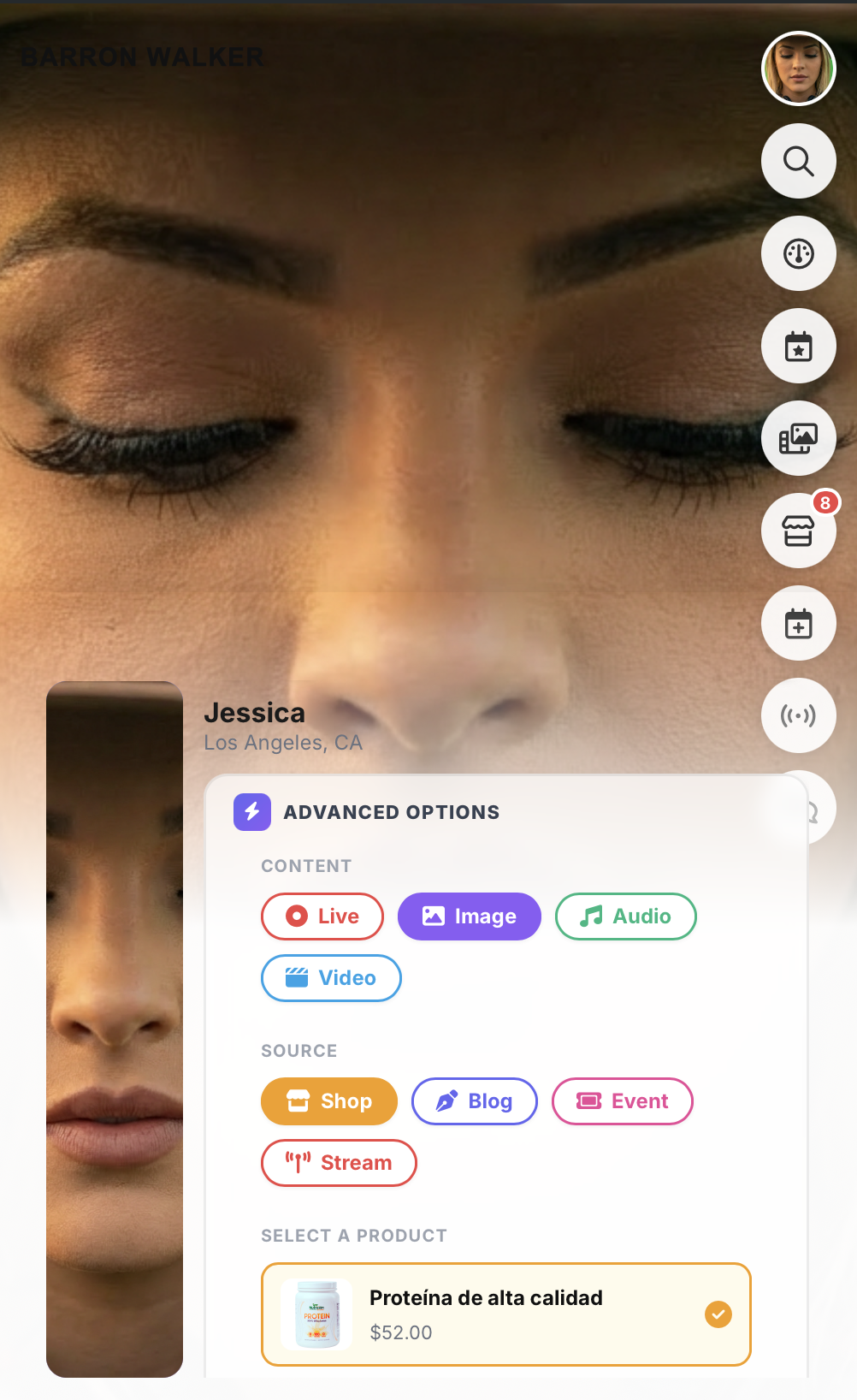
Content → Source → Product Selection
The chain starts here. The operator selects a Content type (Image), a Source (Shop), and picks the product — “Proteína de alta calidad” at $52.00. This is the AI Artist Jessica on the Barron Walker platform, where all parameters for the sales email originate.
02
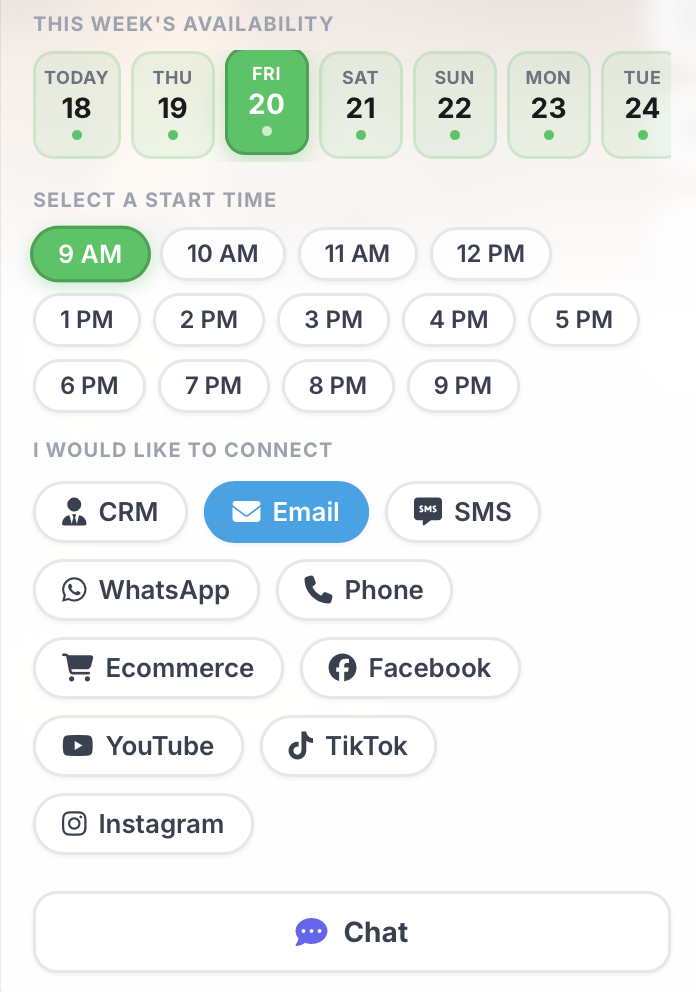
Scheduling — Day → Time Slot → Channel
When is this going to be executed? The operator selects the day of the week, a time slot, and the outreach channel. Here, Friday at 9 AM via Email is selected. Other available channels include CRM, SMS, WhatsApp, Phone, Ecommerce, Facebook, YouTube, TikTok, Instagram, and Chat.
03
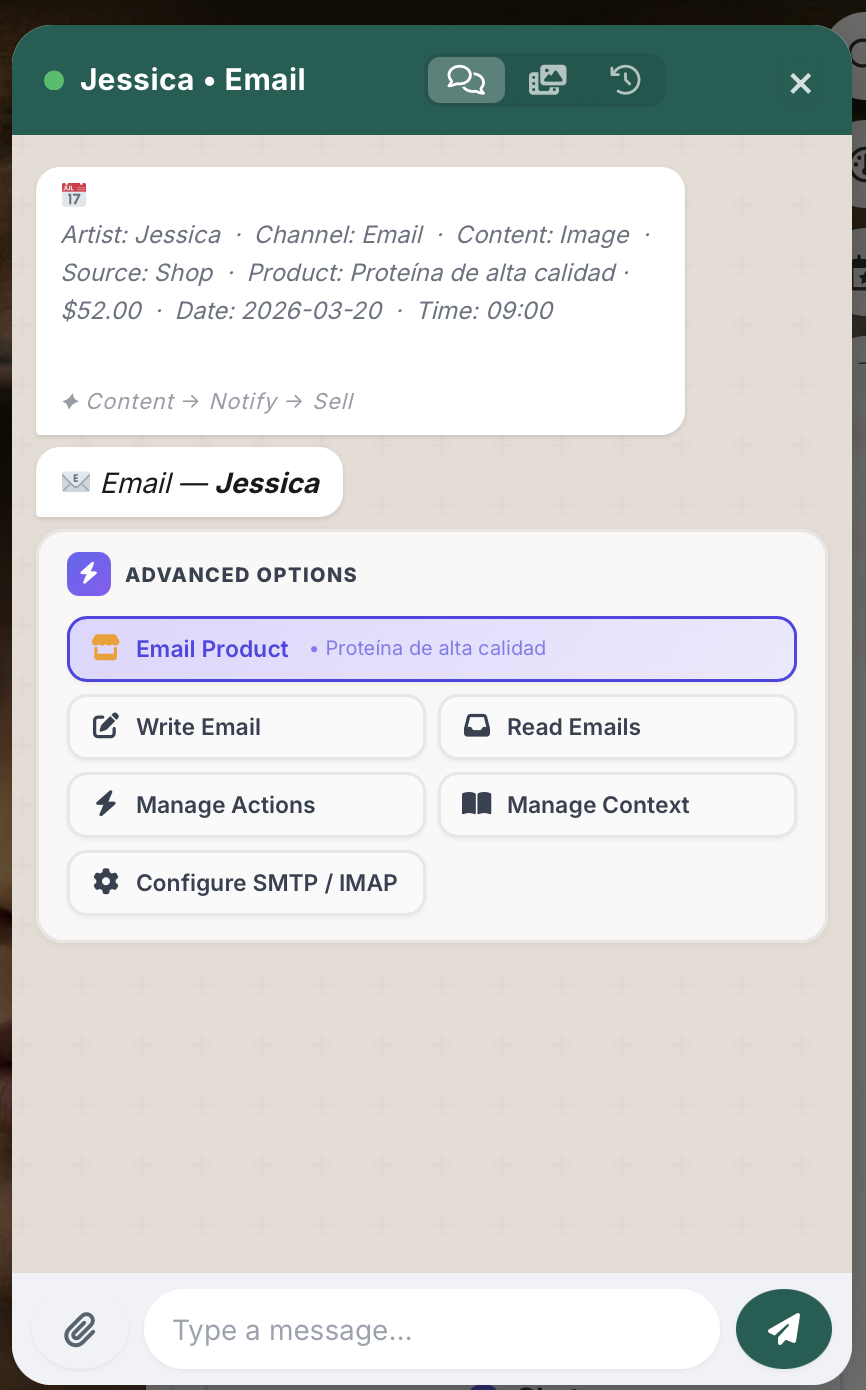
All Parameters Set → Email Product
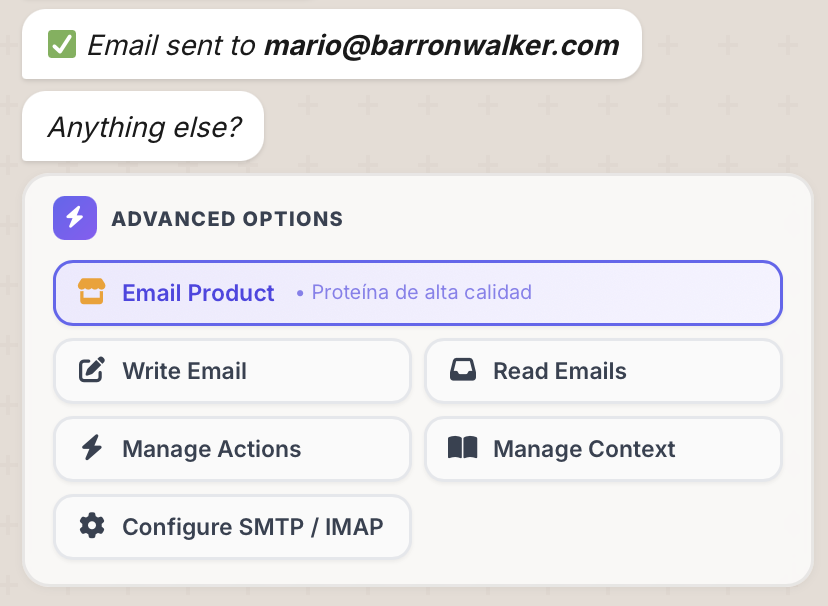
All parameters have been chosen. The Advanced Options panel confirms the active product context (Proteína de alta calidad) under “Email Product.” From here, the operator can Write Email, Read Emails, Manage Actions, Manage Context, or Configure SMTP/IMAP.
04
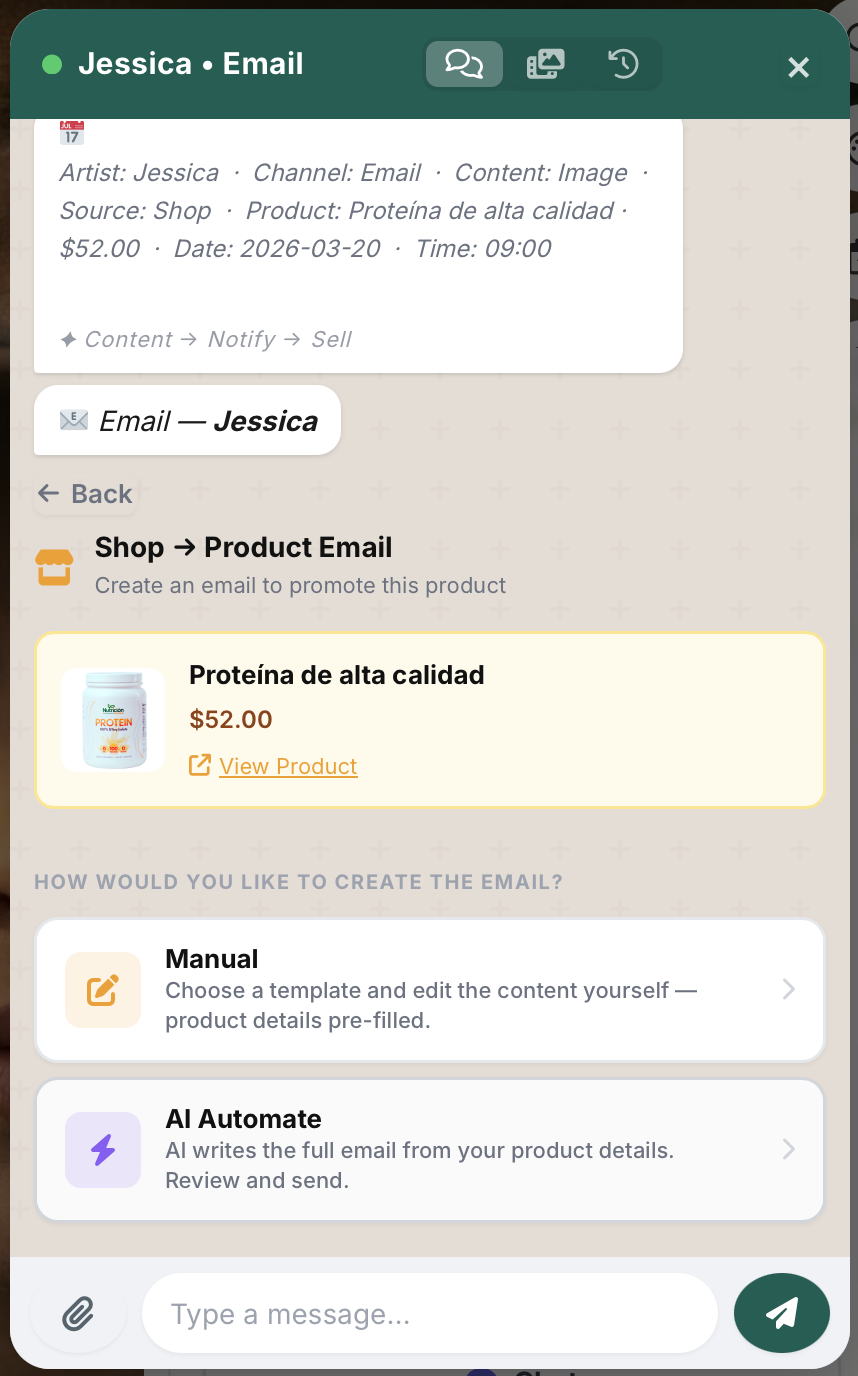
Email Type — Manual or AI Automate
What type of email? Two paths: Manual (choose a template and edit yourself with product details pre-filled) or AI Automate (AI writes the full email from your product details — review and send). The operator selects AI Automate.
05
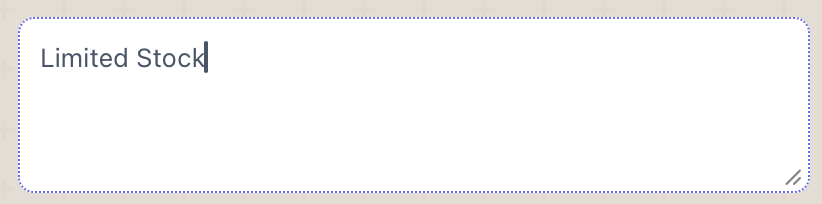
Hook Type — “Limited Stock”
What is the hook? The operator types a hook keyword — “Limited Stock” — and the AI agent uses it to generate a compelling subject line and frame the entire email body around that urgency angle.
06
Email Self-Generates — Standard Parameter Placeholders
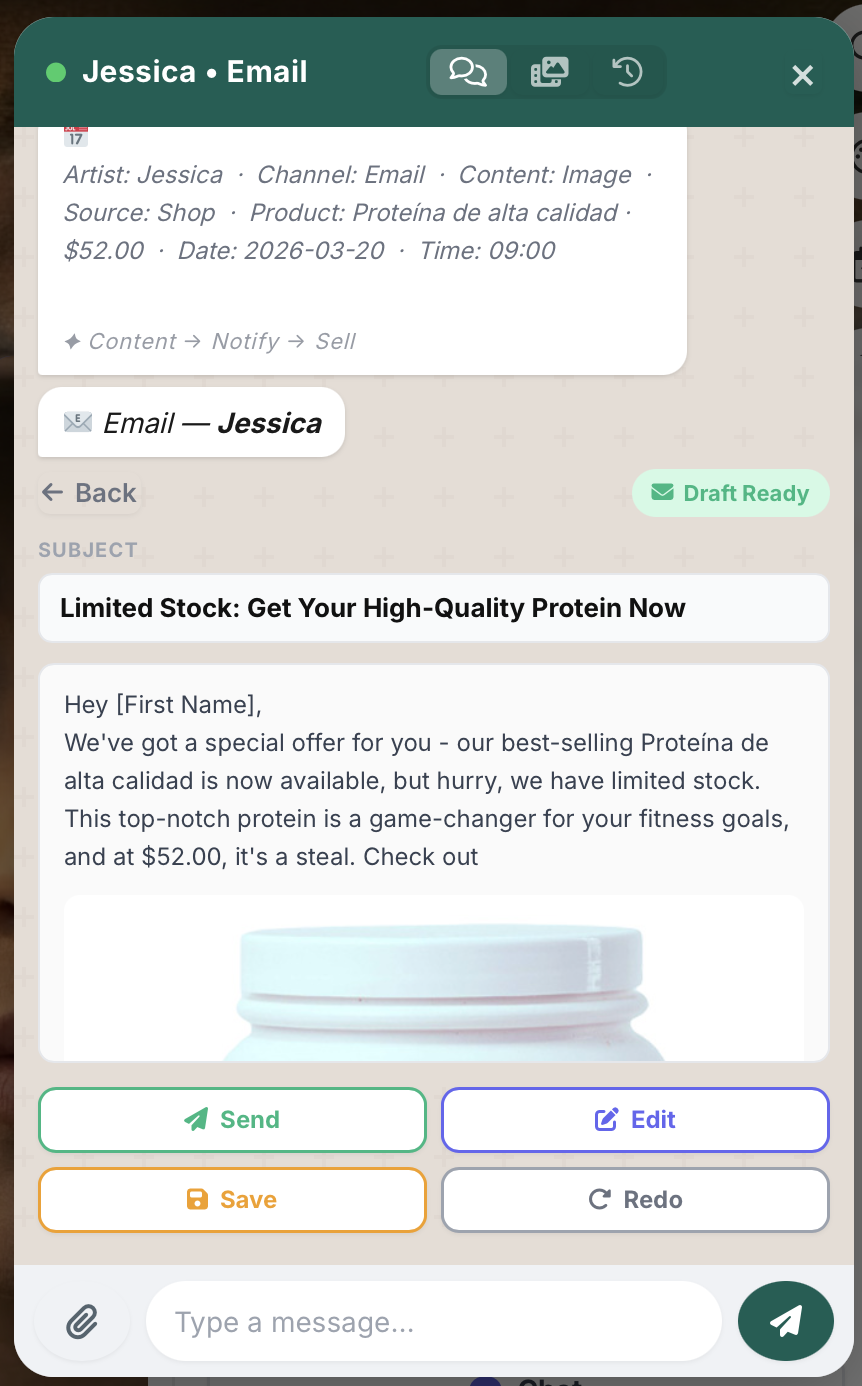
The AI agent generates the full email draft using standard parameter placeholders — [First Name], product name, price, product image, and CTA. The draft preview shows subject line, personalized body, embedded product image, and action buttons: Send, Edit, Save, or Redo.
07
CRM Feed — Recipient Selection
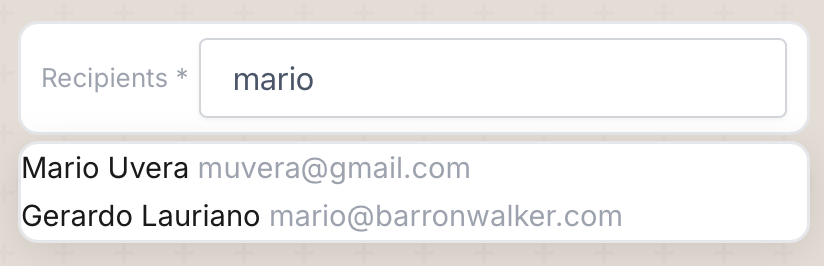
The CRM feed populates the recipient field. The operator searches for contacts — individual or grouped — with autocomplete pulling matching entries. Select one or multiple recipients for the send.
08
Send Confirmation
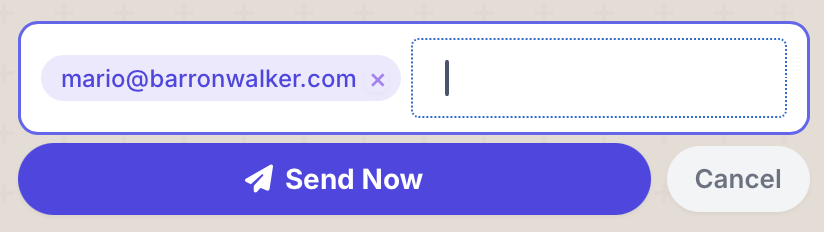
The recipient is confirmed and the operator hits “Send Now.” The email is dispatched through the configured SMTP channel to the selected contact.
09
Next Contact — Continue the Loop
After sending, the agent prompts the next group or contact to send to. “Email sent to mario@barronwalker.com — Anything else?” The loop continues until all recipients in the queue are covered.
10
Email Received — Inbox View
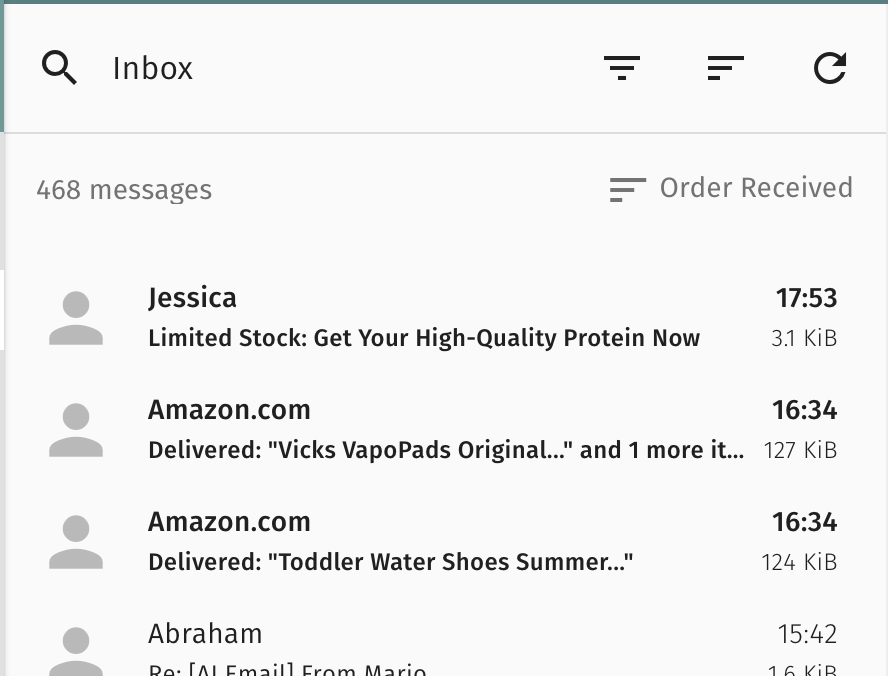
The sales email lands in the recipient’s inbox. From “Jessica” with subject “Limited Stock: Get Your High-Quality Protein Now” — delivered successfully, sitting at the top alongside real emails.
11
Professional Email Format — Header, Body, Image, Footer + CTA
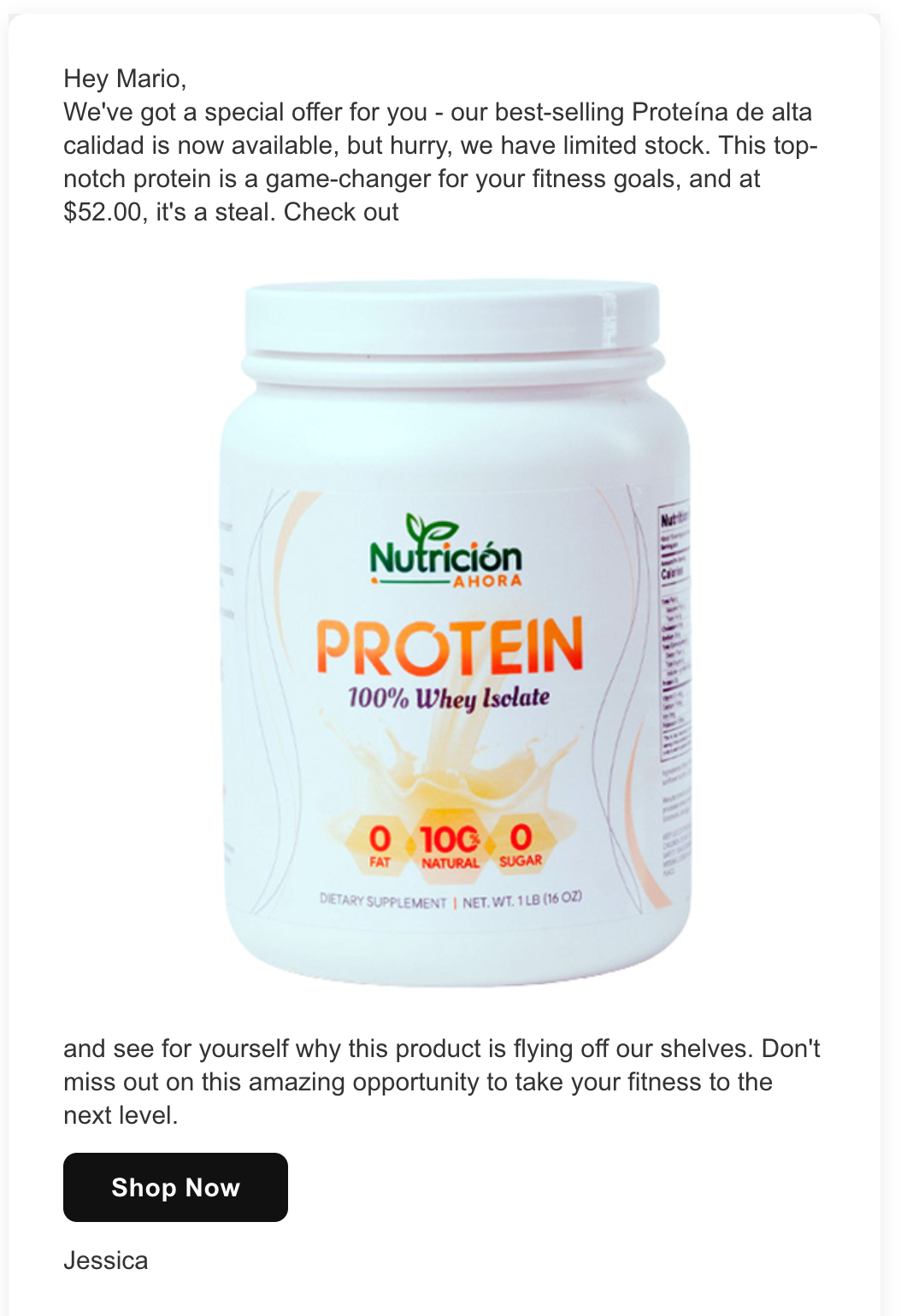
The recipient opens the email and sees a professionally formatted message: personalized greeting, product pitch with price, embedded product image, closing copy, and a “Shop Now” CTA button. Signed by Jessica.
12
CTA → Real Product URL with Checkout
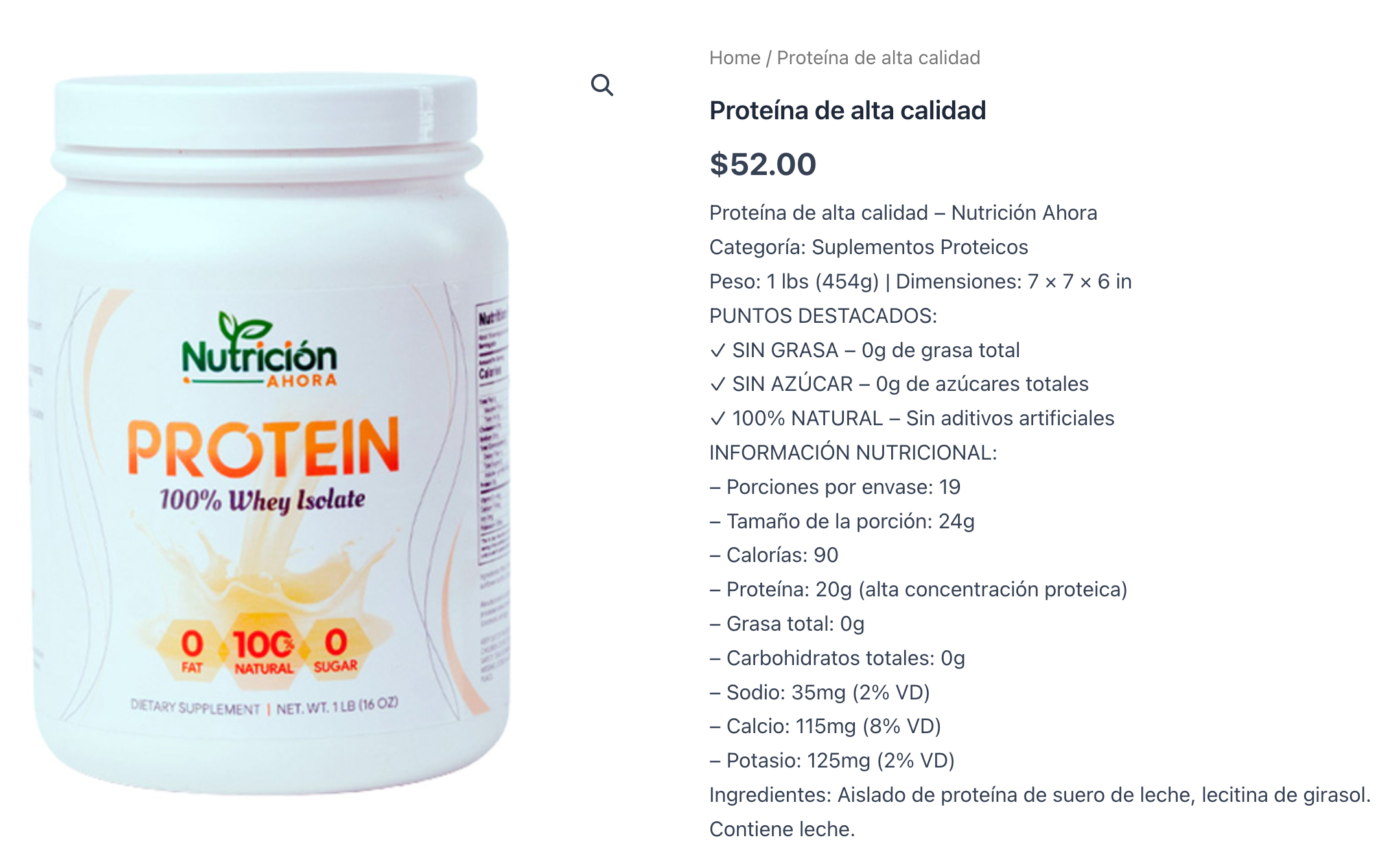
The “Shop Now” CTA in the email redirects to the real product URL — barronwalker.com/product/proteina-de-alta-calidad/ — a live WooCommerce page with a checkout option. The closed loop connects the email directly to the point of sale.

13
Product Landing Page — Checkout Ready
The customer arrives at the full WooCommerce product page — Proteína de alta calidad, $52.00, complete with product image, nutritional info, and purchase option. The loop is closed: from AI Artist to inbox to checkout.
Closed Loop Complete — 13 Steps